Desktop App
The desktop app is a thin local wrapper around the web app with access to your machine.
What it adds
The desktop app provides local capabilities that a browser cannot.
- Direct connection to your local terminal.
- Linking Overlord projects to repository folders on your machine.
- Launching agents into those repositories.
- Embedded terminal sessions with configurable tmux profiles.
- AI-assisted Git commit messages and push from the Current Changes view.
- Per-user agent configuration synced through Overlord.
- Local notifications.
Product Surfaces
The desktop app also packages local agent connectors so Claude and Codex can work on Overlord missions without leaving their native app surfaces.
Claude Desktop
Use the Claude desktop app as an idea-to-mission and mission-to-execution surface. Overlord keeps the workflow centered on missions while Claude handles the live conversation and repository work.
- Brainstorm an idea, then ask Claude to turn it into an Overlord mission.
- Ask Claude to review an existing Overlord mission and tighten the scope.
- Ask Claude to execute a mission and stream updates back into Overlord.
- Ask Claude to draft acceptance criteria, rollout notes, or next steps.
- Ask Claude to summarize the diff before delivery so the mission handoff is clean.
Codex Desktop
Codex works well as the hands-on execution surface for linked repositories. The bundled Overlord plugin gives Codex durable mission lifecycle instructions plus a local bridge into the installed ovld CLI.
- Brainstorm an idea, then ask Codex to make an Overlord mission.
- Ask Codex to inspect a mission and suggest implementation changes before launch.
- Ask Codex to execute a mission, run checks, and deliver the result back to Overlord.
- Ask Codex to review the current branch and attach a clearer rationale to the work.
- Ask Codex to turn feedback from a review thread into a follow-up Overlord mission.
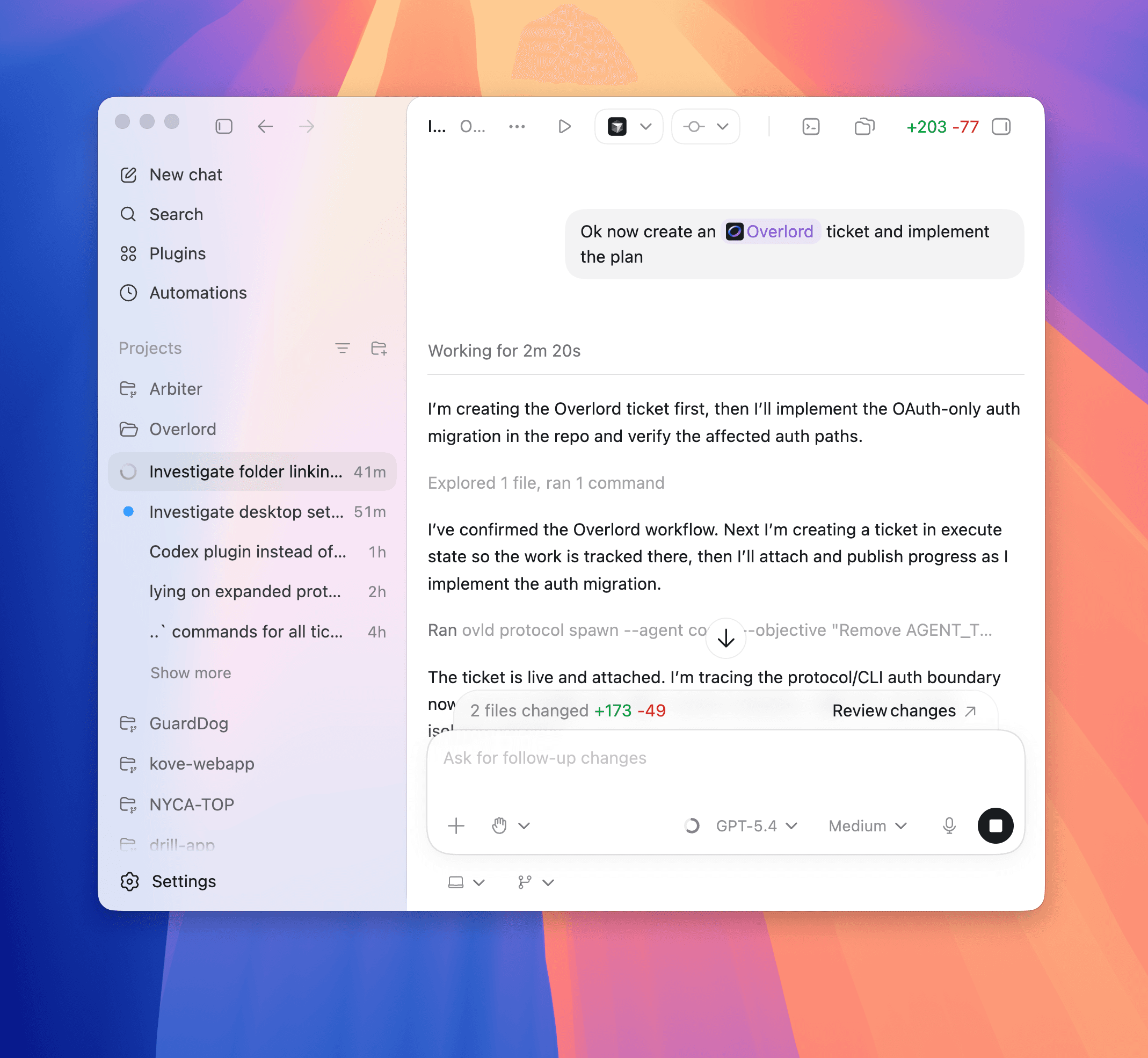
Local agent connectors
Overlord packages these connectors in both the desktop app and the CLI. In the desktop app, install them from Settings → Agents & Plugins. If you already use the CLI, the equivalent commands are ovld agent-setup claude and ovld agent-setup codex.
For Codex, the desktop app manages ~/.codex/plugins/overlord, ~/.agents/plugins/marketplace.json, and ~/.codex/rules/default.rules. Claude follows the same bundled install model through ovld agent-setup claude or the desktop app settings flow.
Change Viewer
The desktop app also includes a built-in diff browser for linked repositories.
- Open the project's Current Changes view.
- Inspect uncommitted files and their status.
- View the unified diff for any file.
- Inspect the rationale attached to changed hunks.
That rationale comes from agent deliveries and helps explain why a change was made.